I recently this website:
👉 https://artifact.wuaze.com/?i=1
It’s a local marketplace for old artifacts. Users can create profiles, list items, and browse what others have posted. The site isn’t meant to be a big or polished product — it’s a small, functional project I used to test a few ideas.
The main goal was to experiment with database migrations in a Core PHP setup, while still building something real enough to expose problems naturally.
What the Project Is
At a basic level, the site supports:
- User registration and login
- Profile management
- Listing artifacts for sale
- Browsing a marketplace
- A simulated payment flow
- Admin-controlled migrations
Everything is intentionally kept simple, but complete enough to behave like a real application.
Landing Page
The landing page gives a quick idea of what the platform is about. I focused on keeping it clean and usable rather than spending time on heavy visual polish.

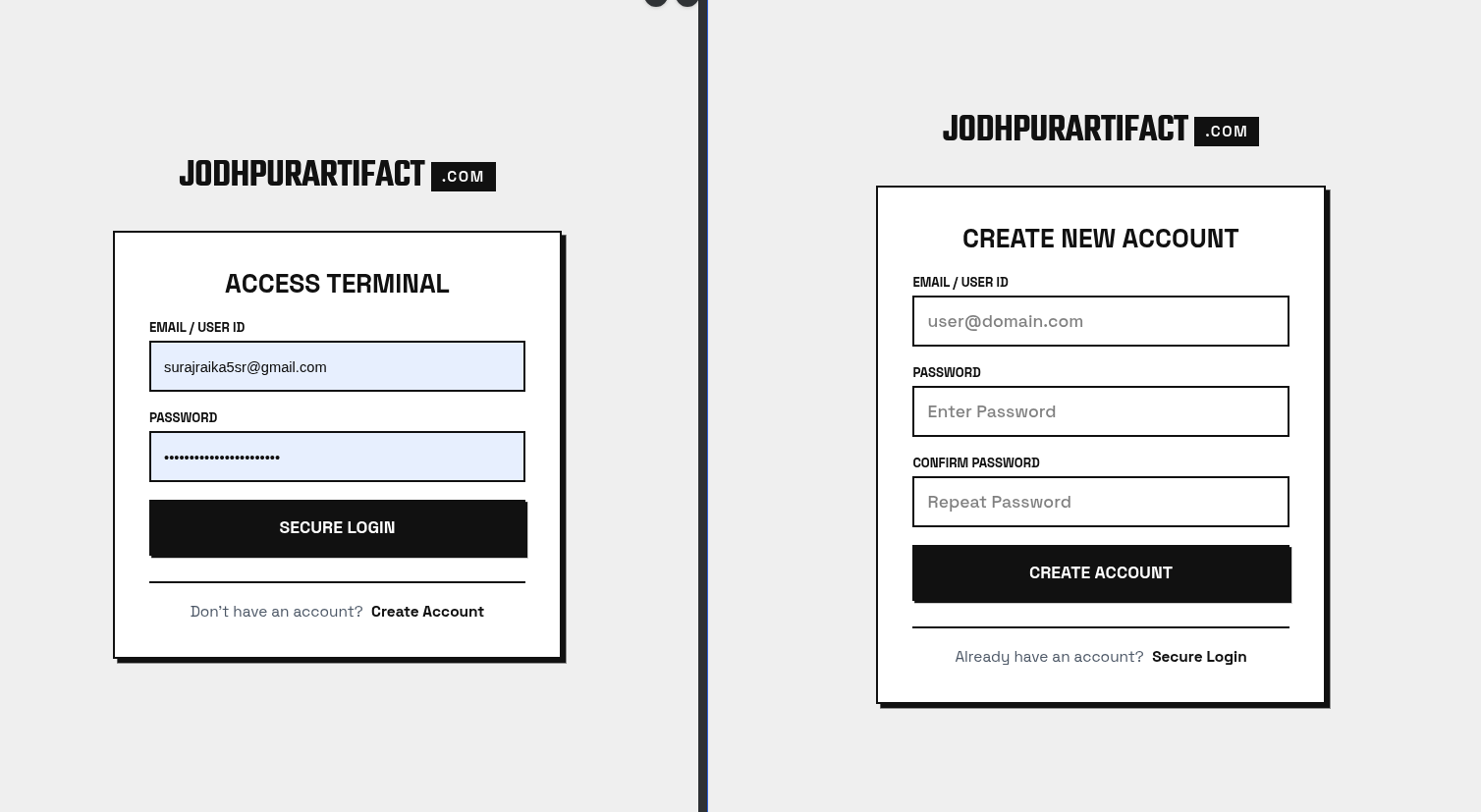
Authentication Flow
Users can register and log in to manage their own listings. This part exists mainly to support the rest of the system and create realistic user flows.
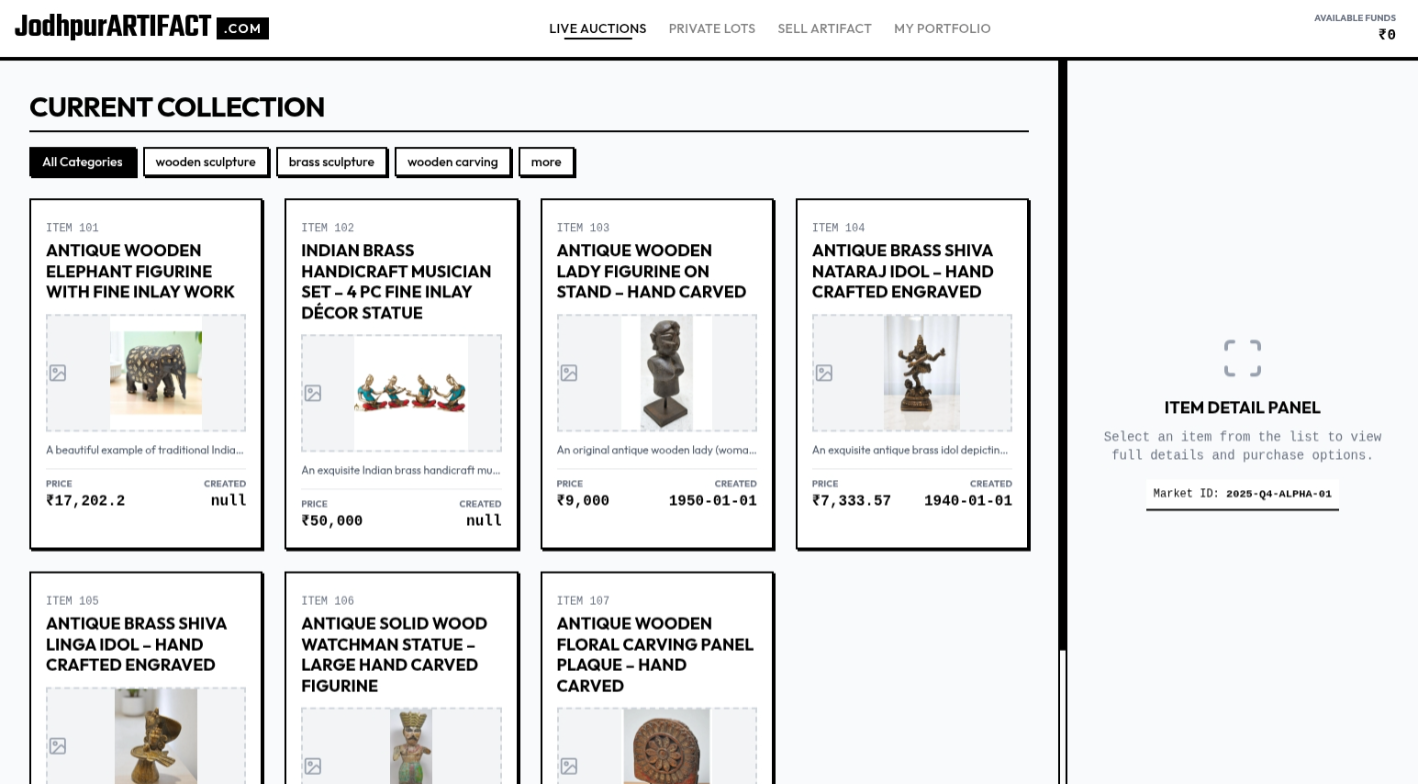
Marketplace View
The marketplace page shows all listed artifacts. This page helped create real data usage and forced schema changes as the project evolved.
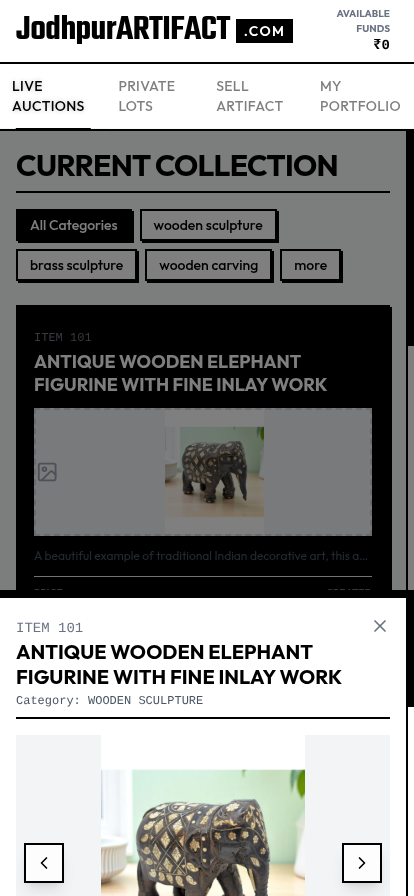
Item Selection & Mobile UX
One area I paid a bit more attention to was item selection on mobile.
The selection interaction uses a smooth animation, and it feels especially good on mobile devices.
It’s a small detail, but it noticeably improves the browsing experience.
Payment System (Simulated)
There is a payment flow in the project, but it’s fully simulated.
No real transactions happen.
It exists purely to:
- Model real-world flows
- Test order-related tables
- Trigger migrations and schema changes
Database & Migrations
The main reason this project exists is to test migrations in Core PHP.
Instead of manually changing the database:
- Migrations are tracked
- Changes are applied incrementally
- Schema updates are repeatable
I didn’t use CLI migrations because my hosting doesn’t support CLI access 😅
So migrations are handled through an admin-only route, protected by authentication. It’s simple, works on shared hosting, and solves the problem I had.
Database Structure Planning
Before implementing migrations, I mapped out the database structure visually to keep things understandable as the project grew.
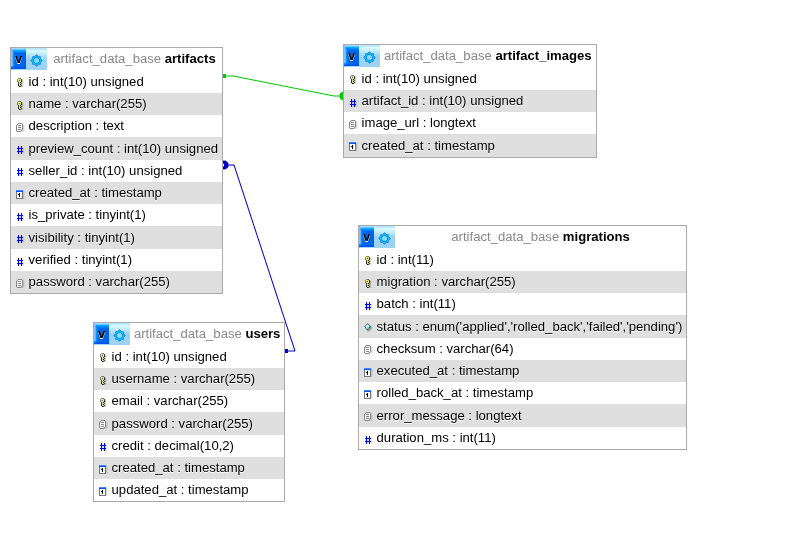
This helped with:
- Understanding relationships
- Keeping tables minimal
- Planning migrations more clearly
Using Gemini for Design
I used Gemini for most of the design and layout work in this project.
The design isn’t heavily refined — mainly because I didn’t want to spend too much time polishing visuals for an experimental project — but the structure, layout, and flow are solid.
At this point, Gemini is a serious design tool for me, not just something I try occasionally. For projects like this, I now reach for it instead of Figma.
It helps me:
- Reach usable layouts quickly
- Iterate without getting stuck
- Focus more on building than designing
For my workflow, it easily 10× the speed, especially when momentum matters more than perfect visuals.